
What is it?
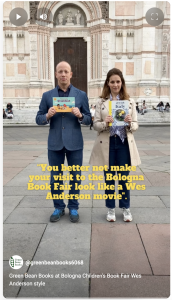
The ‘Wes Anderson’ video trend is very popular on social media at the moment. It sees users recording short, artistic, Wes-Anderson-style clips of themselves and/or their surroundings and splicing them together to make one longer video.
- Click here to see an example from Green Bean, filmed at the Bologna Book Fair. If you are on Instagram you can see an excellent one of a London children’s bookshop here.
- For some more great examples, see here, here, here and here. You’ll see they all have a slow, simple, surreal quality. The camera is straight ahead and they all have a symmetrical element.
- Green Bean is going to create another video featuring clips of ‘what we’ve published this year’, ‘what’s coming next year’ and ‘the team behind the books’…and we need your help!
- We need you to contribute by recording a short clip – just 15 seconds long at the most! – with your Green Bean book (or work in progress) to be used in our own Wes Anderson video.
How to record your video clip – a step-by-step guide:
Step 1
If you can, please make sure you are either wearing something green, or are in front of a green background or have something green in the background. The idea is to create a cohesive feel to all the clips.
Step 2
Make sure you have a physical copy of your own Green Bean book at the ready – or a print out of the work-in-progress (artwork or manuscript)
Step 3
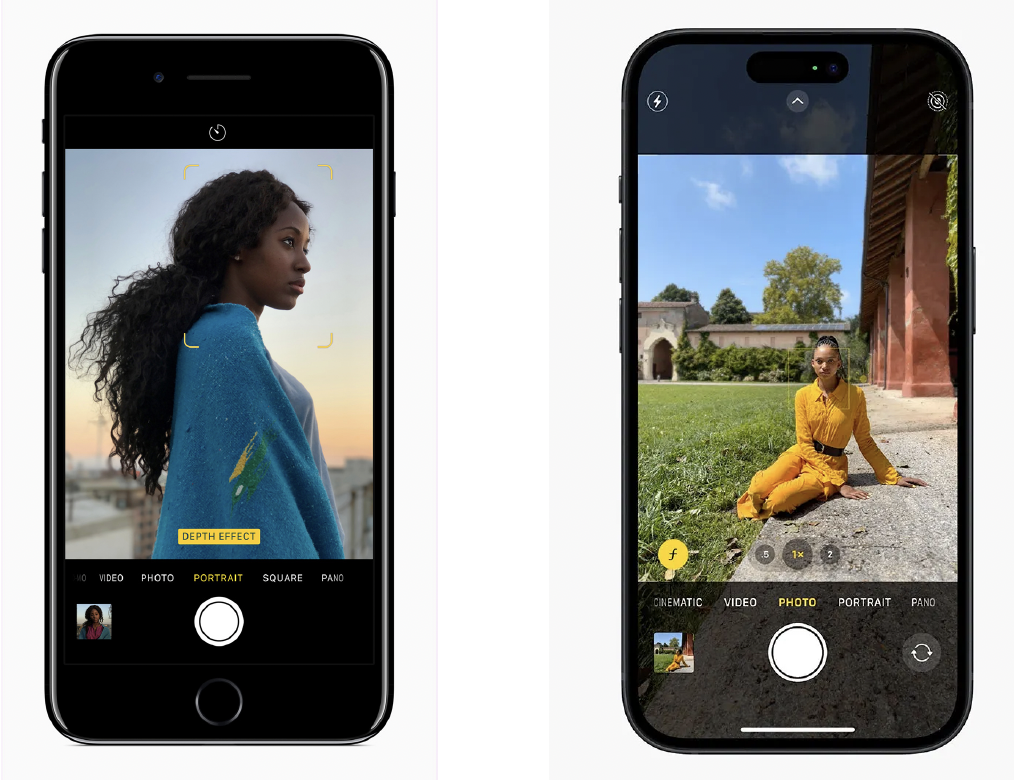
Set up your smartphone or your camera to record yourself (or have someone else record you) in portrait format, like this
Step 4
Time to press record! Making sure you are positioned in the middle of the frame, start the video recording on your smartphone or camera (or have someone start recording you). Once you start recording, the choice is yours!
You can either:
• Record yourself holding up your Green Bean book to the camera with a smile!
• Record yourself pretending to be reading some of your book to yourself
• Record yourself with your book (or artwork) in the background or foreground The clip does not need to be long (it should be no longer 15 seconds maximum) and you do not need to worry about what it sounds like (as the final compiled video will have background music).
Step 5
Rewatch your video to make sure everything (yourself, your book, your green outfit/ background!) is in focus and in shot.
Step 6
Once you are happy with your video clip, please send it on to Michael via email at michael@greenhillbooks.com. If you recorded your video on a smartphone, you can share it via email directly from your device (either by attaching it as an attachment in the Mail app, or sharing directly to email from the Photos app – see here for instructions on how to do that). If you recorded your video on a video camera, you should import this to your computer and share it via email this way.
Step 7
We’ll compile all the clips and put them together into one long video that goes out on social media. The overall aim is to generate some interest in your books that have been published, or are due out – and have some fun with a joint project.